open it
load rooot on a channel like any instrument. one box asks what’s the beat missing?
the rooot sound library, inside your DAW. glo drums, new jazz loops and more from independent producers. hear a sound, keep it, and drag it into your project.
paid sound downloads use credits from a monthly plan or one-time pack. paid kits are bought separately; free kits can be claimed.
about a minute to set up — your computer asks you to OK rooot once, since it isn’t signed yet. then it loads like any plugin, and the sounds you’ve kept are already in it.
how to installload rooot on a channel like any instrument. one box asks what’s the beat missing?
glo drums, dark loops, a producer’s name — tell rooot what you want to hear. it searches sounds from the kits on rooot. not it? click again.
keep the one that catches your ear, then drag it into your project. it’s the real file, and it’s yours.
mayze and independent producers across the underground, with their own releases and their own sound. find one you like, open the kit, and hear what else they make.
same account. same credits. same kept sounds.

 isaac horner295 sounds
hear a sound you like, open its kit, buy the whole kit right from your DAW.
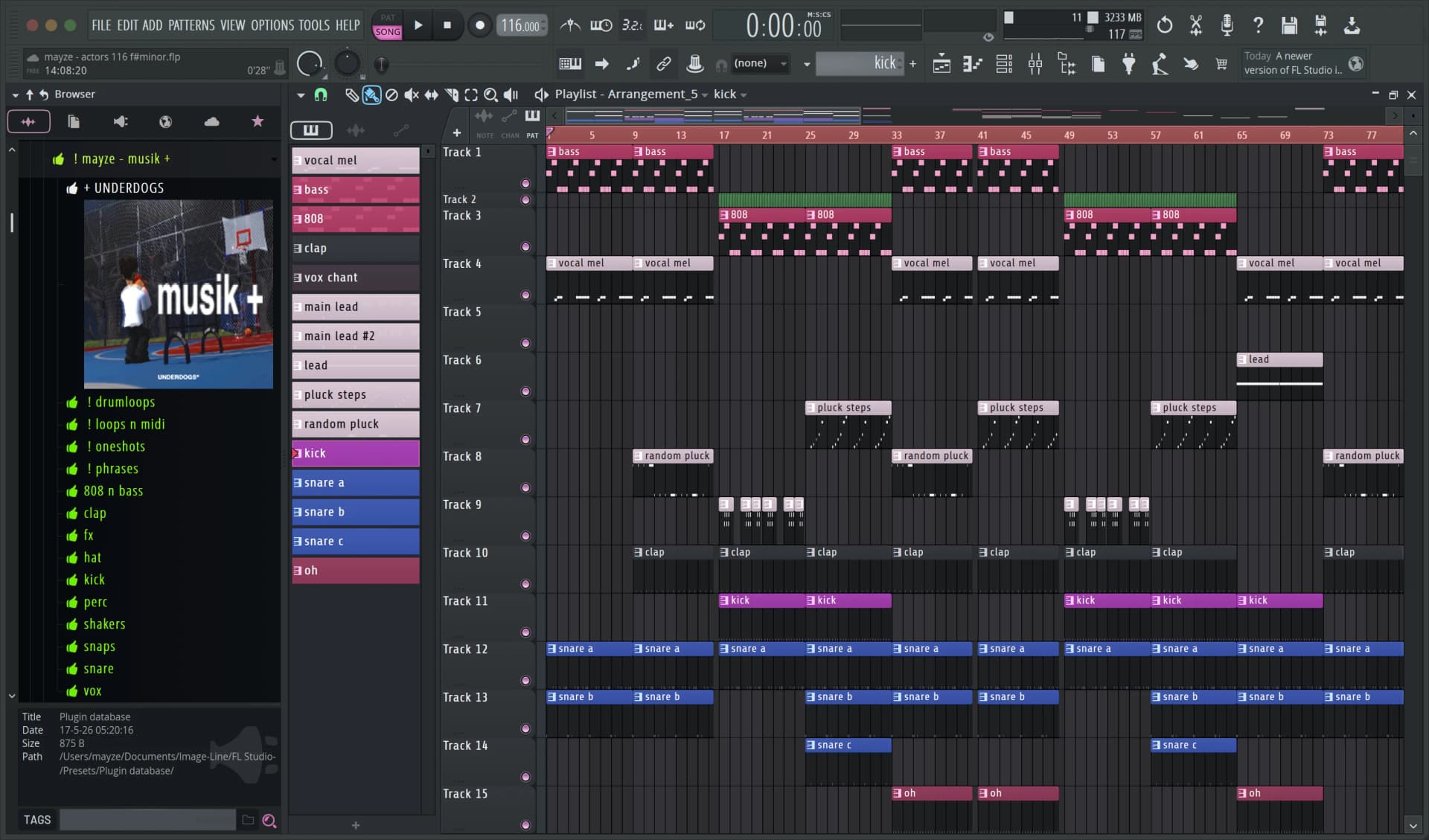
drag what you keep from rooot onto the playlist like any sample — it lands as the real file, on the grid. Ableton and Logic work the same way.
the same login as the website. hit sign in and your browser opens. if you’re already signed in there, it’s one click.
the plugin’s free. keeping a sound uses credits, same as on the site, and your balance is always on screen.
sounds you already own drag straight in, any time. you never pay for one twice.
it takes about a minute. rooot isn’t signed by Apple yet, so macOS asks you to OK the installer — after that, it loads like any other plugin.
guides for older macOS say Control-click → Open. on macOS 15 that doesn’t get past the block — System Settings is the only way.
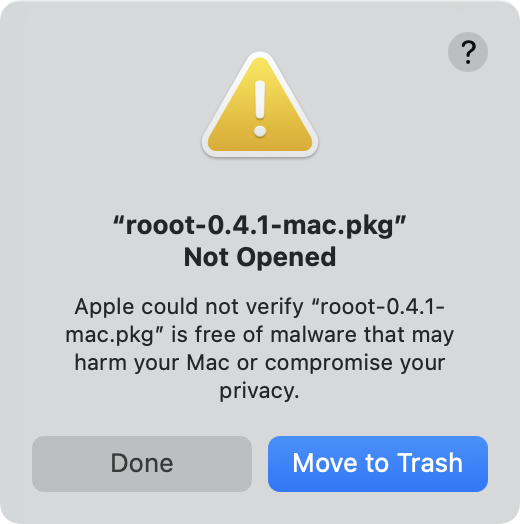
double-click rooot-0.6.0-mac.pkg in your Downloads. macOS says it can’t verify it — hit Done, not the blue Move to Trash.
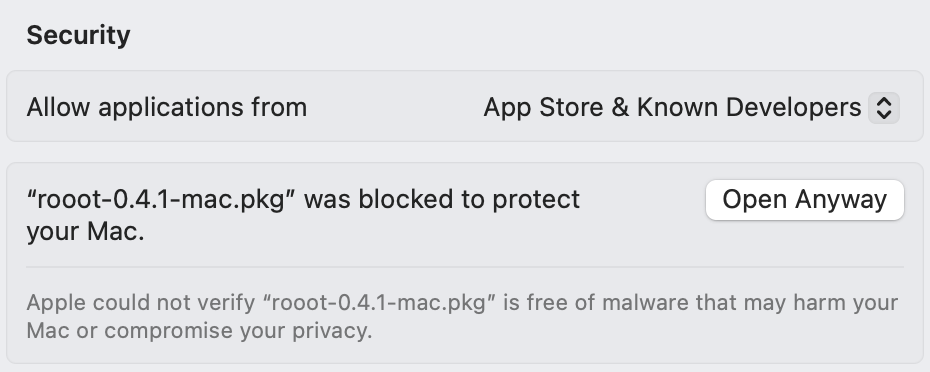
open System Settings → Privacy & Security and scroll down to Security. where it says “rooot-0.6.0-mac.pkg” was blocked, hit Open Anyway. it stays there for about an hour — if it’s gone, double-click the installer again and come back.
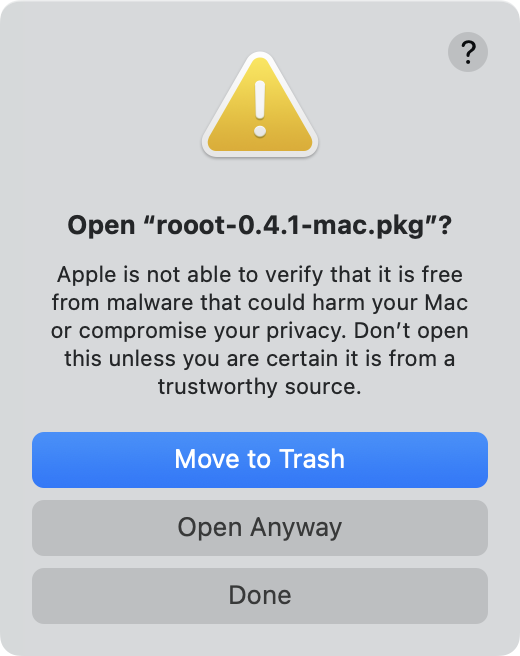
macOS asks once more. hit Open Anyway — not the blue Move to Trash, and don’t press Return — then use Touch ID or your password.
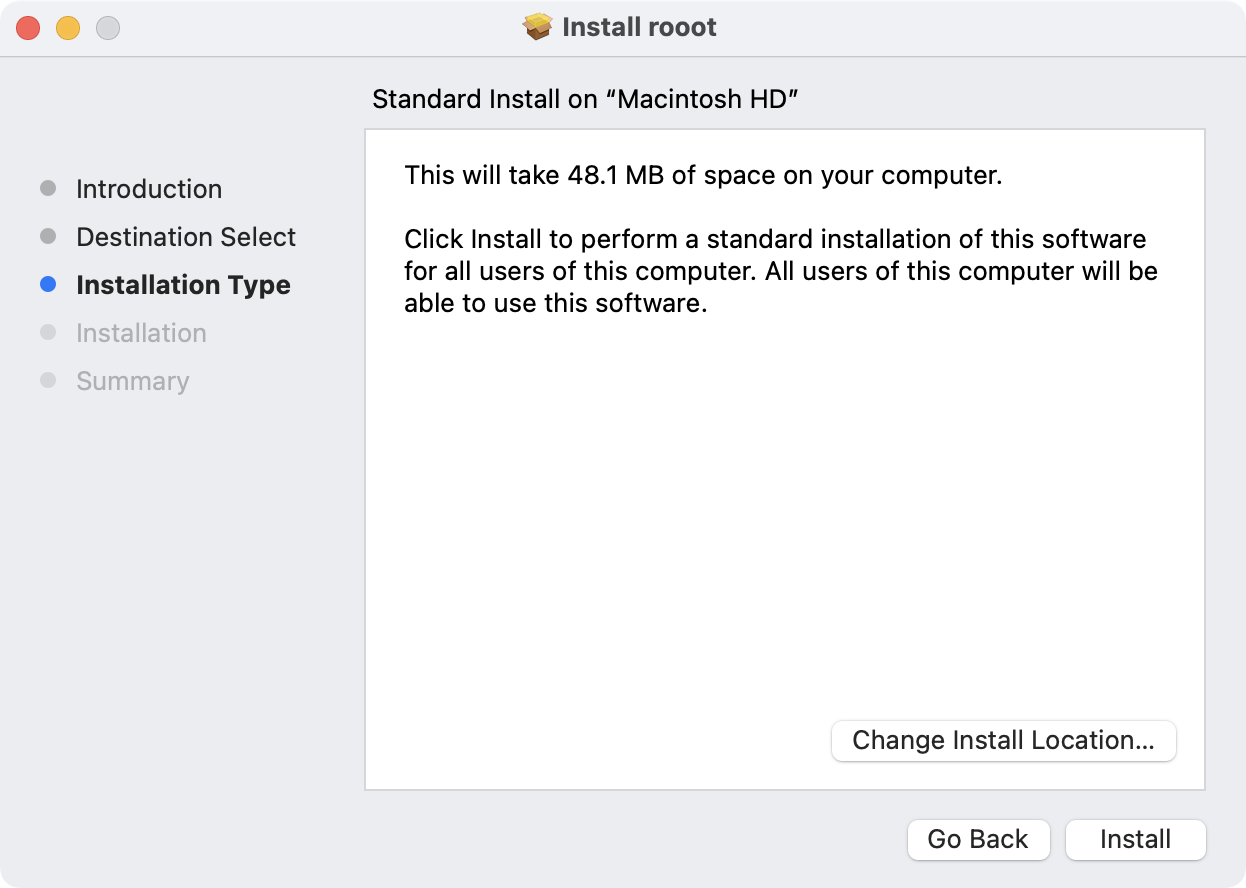
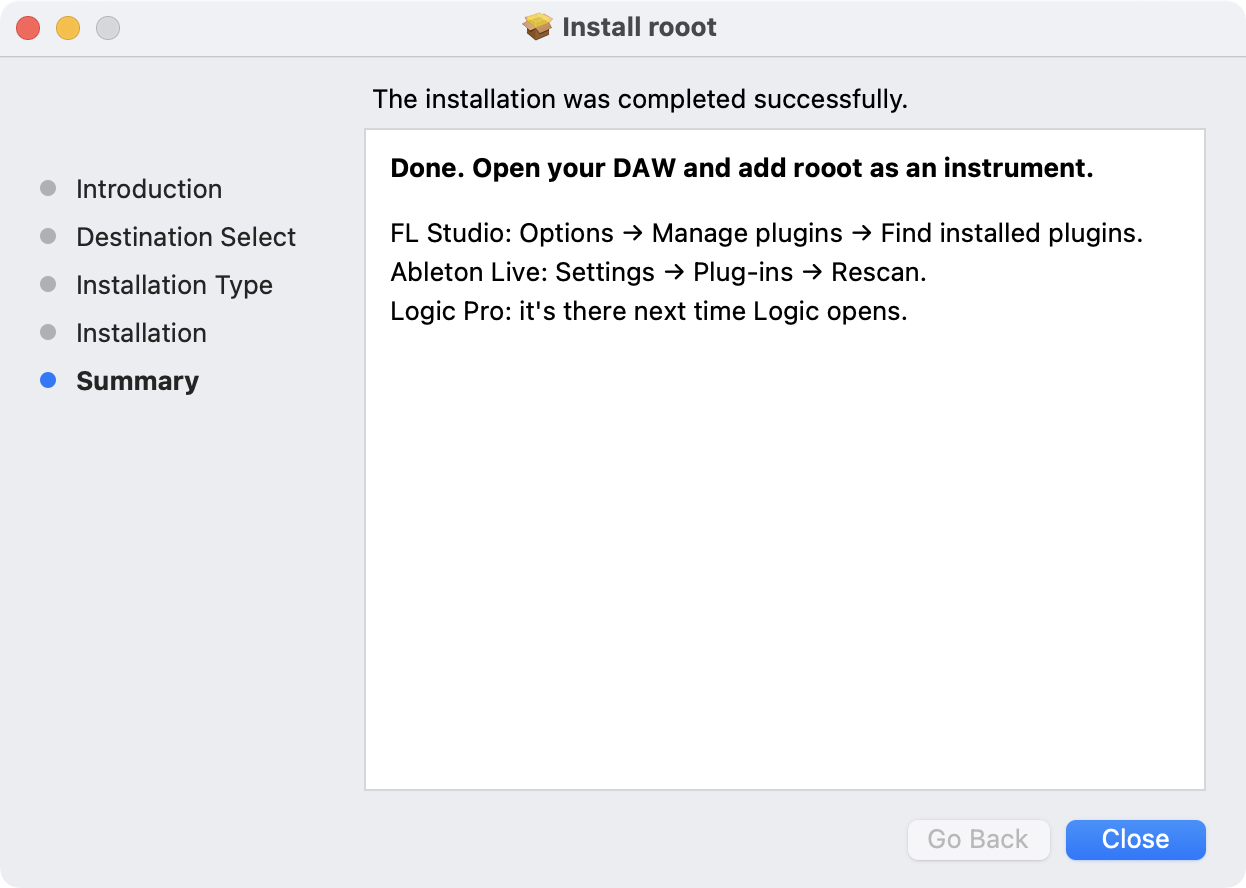
hit Continue, then Install, and confirm with Touch ID or your password again. rooot goes in as VST3 and AU for every account on your Mac. then hit Close.
rescan your plugins and add rooot as an instrument.
it takes about a minute. rooot isn’t signed for Windows yet, so your browser and Windows each ask you to OK the installer — after that, it loads like any other plugin.
if Windows blocks it with no Run anyway option, your PC runs Smart App Control, which only allows signed apps — rooot can’t install there yet.
your browser may say rooot-0.6.0-win.exe isn’t commonly downloaded. in Chrome, hit Keep. in Edge, hit … → Keep, then Show more → Keep anyway.
double-click rooot-0.6.0-win.exe in your Downloads. when Windows says it protected your PC, hit More info, then Run anyway.
Windows asks if this app can make changes to your device. it’ll say Publisher: Unknown — that’s rooot, because it isn’t signed yet. hit Yes.
click through to Install, then Finish. rooot goes in as a VST3 in C:\Program Files\Common Files\VST3, where your DAW looks for it.
rescan your plugins and add rooot as an instrument.